Operations & scheduling
Schedule your field team on a map and track every job
Book your teams on a schedule and a map, and see every job's stage, costs and next visit.
Each job's costs at a glance
The project header puts revenue, materials, labor and profit side by side.

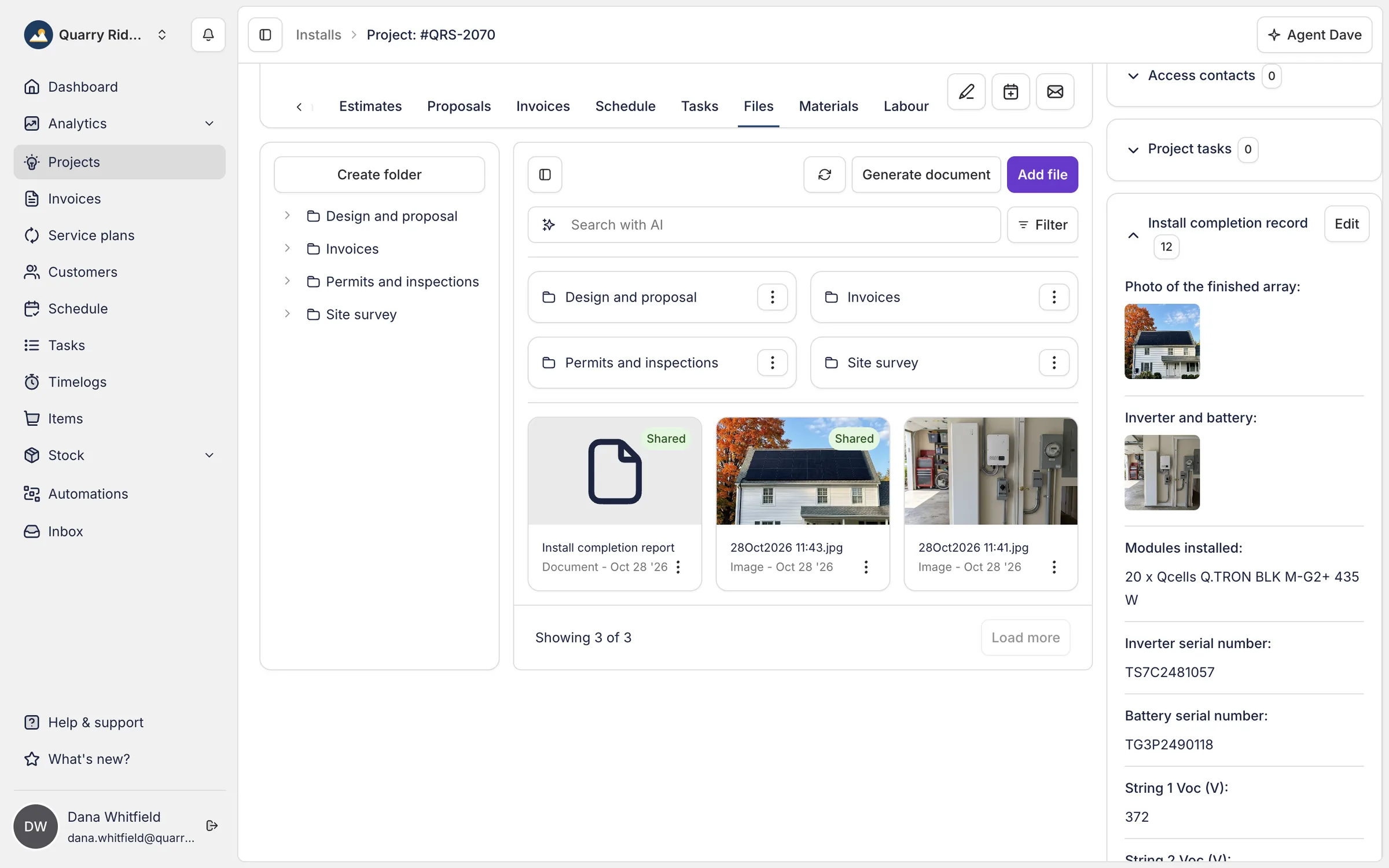
Every file from the job, in one place
Survey photos, the design, the paperwork and the invoices sit in folders on the project.
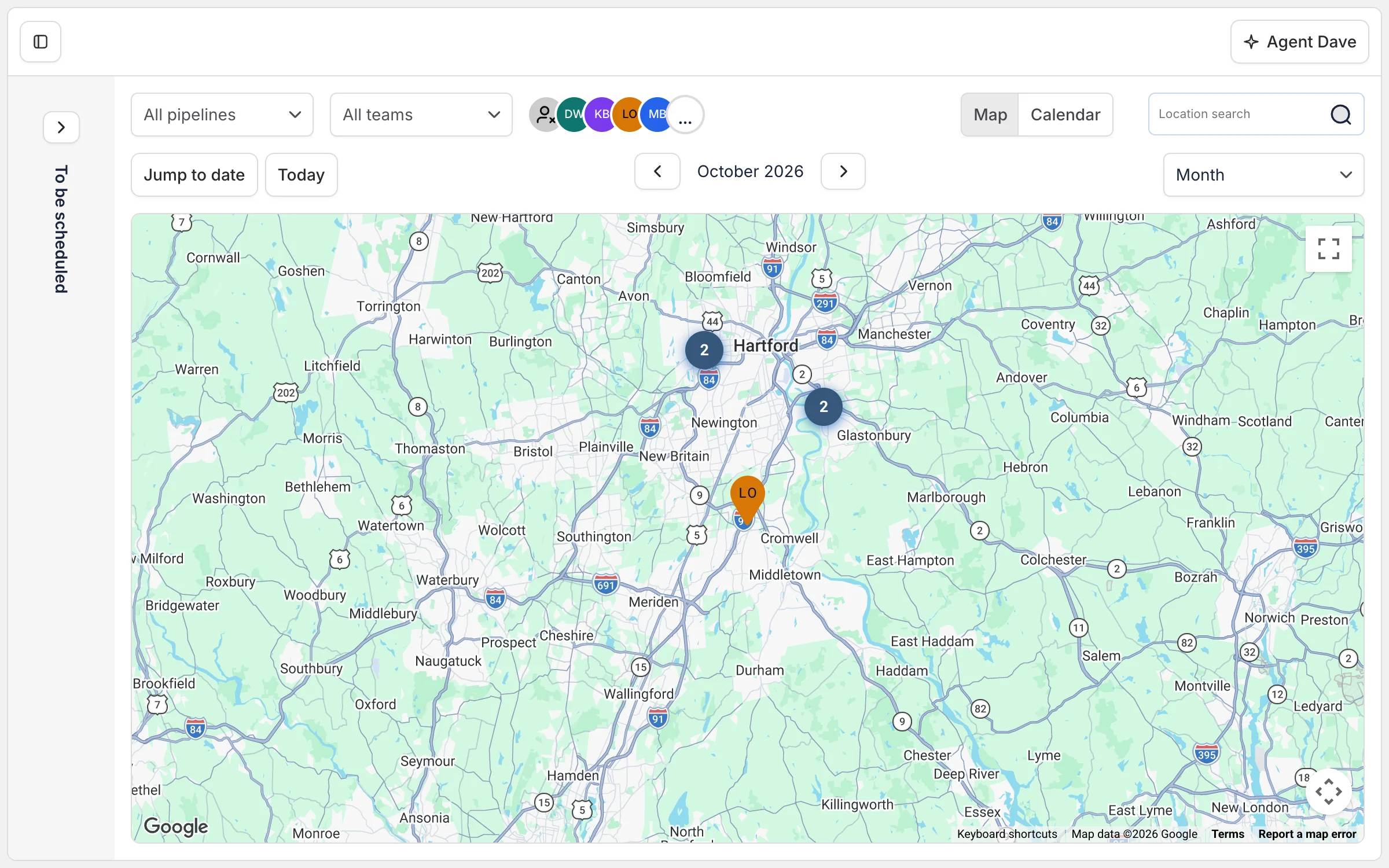
The schedule on a map
Switch the schedule to Map to see where every crew is working, by week or month.
Frequently asked questions
- What is field service scheduling software?
- Field service scheduling software helps installation businesses assign, track, and plan engineer schedules. Payaca's Schedule page has a calendar view and a map view, so you can see when each engineer is booked and where each job is, and give a new job to whoever is already working nearby.
- Does Payaca have a mobile app for field teams?
- Yes. The Payaca mobile app gives engineers their schedules, project specifications, checklists, and photo capture. It works offline for basements and rural areas, then syncs automatically when back online.
- How does real-time project tracking work?
- Every project in Payaca moves through customisable pipeline stages, from lead to completion. You see exactly where each job stands, who's assigned, and what's outstanding at any moment.
- Can Payaca track engineer timesheets automatically?
- Yes. Engineers log travel and time on site from the mobile app as they work, with the phone's location recorded when they start, and can log time away from a job such as the drive home. Payaca turns the timelogs into timesheets for payroll and labor costs per project.
- Can I see one type of work on the schedule?
- Yes. Filter the schedule by pipeline to see only the solar installs, say, without the surveys and service visits around them. It works alongside the team filter, and Payaca remembers your choice. On a big team the date controls stay on screen as you scroll, and the team groups you collapse stay collapsed.
- How does map-based scheduling reduce costs?
- Seeing the day's jobs on a map lets you give a new job to the engineer already working in that area and fit nearby jobs into the same day, which cuts drive time and fuel costs. Filter the map by engineer to check a new job fits their existing schedule.
- Can engineers see the job site before they set off?
- Yes. The Site address card on every project shows a satellite view of the site with Payaca's pin on it, with road names overlaid so you can tell one building from the one next door. Click the image to open the location in Google Maps, or use the card menu to get directions to the site. If Payaca couldn't find a location for the address, Open in maps and Directions still work by searching the address text.
- Can Payaca track stock and inventory across multiple locations?
- Yes. Named stock locations let you hold bulk-bought materials across warehouses, vans, and branches. Buy stock into a location through purchase orders, track on-hand quantity and value at weighted average cost, and issue stock to projects at its real cost when it's used, so a single bulk delivery no longer distorts one job's margin. It's native inventory in the same system that runs your pipeline and invoicing, without the spreadsheet alongside your CRM.
Dedicated onboarding available
Ready to run your whole install business in one system?
Growing installers run their whole job on Payaca, from quote to final payment. We'll handle your workflow mapping and data migration.
- Dedicated onboarding
- Data migration support
- AI + human support